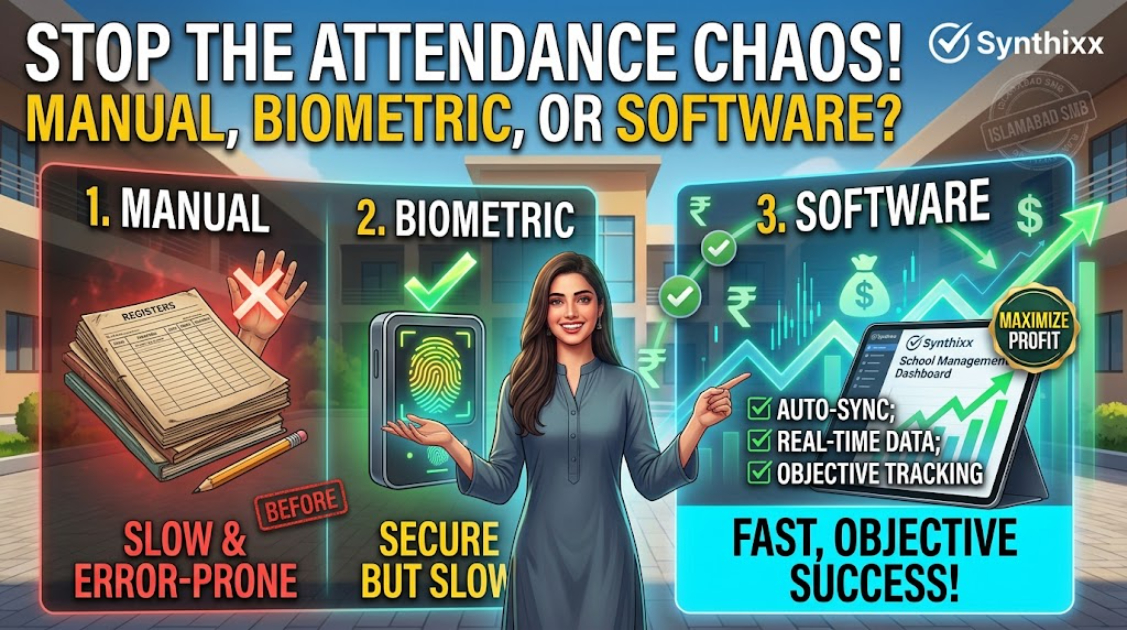
Attendance is the most daily of all school processes ΓÇö and the most frustrating. The register gets lost, the biometric machine fails during a power cut, and by Friday nobody is sure who was absent on Tuesday. This is not a technology problem; it is a process problem wearing a technology costume.
I have compared these options with school leaders in a dozen countries, and the honest answer is that none of them is universally "best." The right choice depends on your size, your electricity and internet, and who needs the data. Let me compare the three common options and be honest about each one.
Option 1 ΓÇö The manual register
The classic. A teacher calls out names, marks present or absent, and the register lands on the office desk at the end of the day.
What it is good at:
- ΓÇóCosts nothing extra.
- ΓÇóWorks in every building, with or without electricity.
- ΓÇóFamiliar to every teacher.
Where it breaks:
- ΓÇóThe office re-enters the data to make a summary ΓÇö duplicate work.
- ΓÇóRegisters get lost or filled in from memory at the end of the month.
- ΓÇóParents get zero visibility. The "did my child attend?" phone call exists because of this.
- ΓÇóSpot-checking "is this class actually present?" is impossible without walking in.
Verdict: Fine for a very small school. At the size where the office starts re-typing registers, it is time to move on.
Option 2 ΓÇö Biometric fingerprint machines
The wall-mounted machine that beeps when a thumb touches a sensor.
What it is good at:
- ΓÇóHard to fake for the person physically present.
- ΓÇóGood for staff time and attendance.
- ΓÇóNo re-typing if the machine exports data.
Where it breaks:
- ΓÇóPower cuts. Machines need electricity; a two-hour blackout window in the middle of the school day swallows whole classes. This is a real issue in South Asia, parts of Africa, and anywhere the grid is unreliable.
- ΓÇóYoung children. Small, sweaty, or damaged fingerprints fail constantly, and kids queue up to try again.
- ΓÇóCost and maintenance. Machines, repairs, and the person who remembers to export the data.
- ΓÇóPrivacy. Storing children's fingerprints is a real decision. If you collect them, you need a policy, consent, and a plan for deletion. Many schools never think about this part.
- ΓÇóIt still cannot answer "is this the right student?" A student can mark a friend present ΓÇö and with a fingerprint, even easier to misuse.
Verdict: Acceptable for staff attendance in larger institutions, but a poor fit for student daily attendance in most schools.
Option 3 ΓÇö Software-based attendance on a phone or web app
The teacher marks a class present in an app; the office and parents see it instantly.
What it is good at:
- ΓÇóAttendance is marked once and flows everywhere ΓÇö no re-typing.
- ΓÇóParents can be notified immediately when a student is absent (or, with opt-in, receive a daily summary).
- ΓÇóMonthly reports for the office are generated, not compiled.
- ΓÇóWorks on the phones and networks most communities already have.
Where it breaks:
- ΓÇóRequires the teacher to actually use it ΓÇö so it needs to be fast enough that marking a class takes seconds.
- ΓÇóRequires a phone or laptop with a connection, which some staff rooms lack.
- ΓÇóNeeds good data entry hygiene at the start (correct student lists per class).
Verdict: The right long-term answer for most schools above 100 students, provided it is genuinely fast and works on modest hardware.
The comparison at a glance
| Factor | Manual register | Biometric | Software | | --- | --- | --- | --- | | Upfront cost | None | Medium | Low | | Survives power cuts | Yes | No | Yes (marks offline, syncs later) | | Re-typing needed | Heavy | Low if it exports | None | | Parent visibility | None | None | Instant alerts | | Fits young children | Yes | Poorly | Yes | | Realistic best use | Small schools | Staff punch-in | Most schools 100+ students |
A hybrid that works in practice
Most successful schools end up somewhere like this:
- ΓÇóTeachers mark class attendance in the software ΓÇö one tap per class, done in seconds.
- ΓÇóOffice reviews the daily summary, flags exceptions, and produces the monthly report automatically.
- ΓÇóParents receive absence alerts (optional, with consent).
- ΓÇóA physical register is still printed each morning as the legal record where the regulator requires paper.
The register is not evil. The problem was always the second copy of it ΓÇö and software removes exactly that.
The regional reality check
I want to be honest about local constraints, because they change the recommendation. In Pakistan, power cuts and cheap Android phones are the two facts that shape every decision, which is why software attendance has overtaken biometrics there for students. In Scandinavian countries, power and devices are non-issues, and schools lean on tablets and integrated learning platforms. In rural Nigeria and Kenya, schools often run on prepaid electricity and shared phones, so offline tolerance and one-per-class devices matter more than features. In every case the same rule holds: pick the method that removes the second copy of the register and survives a bad week.
A decision rule for any school
Run through these questions in order:
1. Is the school under 100 students with one office person? The register is probably fine for now. 2. Is the office re-typing attendance every day? Then whatever you choose, it must kill the second copy. 3. Is power reliable and internet available in every classroom? If yes, software attendance is a straight win. 4. Is the electricity grid unreliable? Then a wall-mounted biometric machine is a liability for students ΓÇö avoid it or pair it with paper. 5. Do parents ask about attendance constantly? Then the winner is whichever option gives parents visibility without the office answering the phone.
In most schools, the answers lead to the same place: software attendance marked by teachers, with absence alerts for parents and a printed register as the official record. That is not because software is trendy ΓÇö it is because it removes the duplicate copy, which was the actual problem all along.
What to check before you buy
- ΓÇóSpeed. Ask for a live walkthrough of marking a 40-student class in under a minute. If the vendor cannot show it, the teacher will not do it.
- ΓÇóOffline tolerance. Can the teacher mark attendance when the connection drops, and sync later?
- ΓÇóReports. Can the office pull a daily, weekly, and monthly summary without re-entering data?
- ΓÇóPrivacy. Who can see attendance? Roles should separate teachers, office, and parents.
- ΓÇóExport. You must be able to export attendance history at any time.
Frequently asked questions
Are biometric machines ever the right choice? For staff punching in and out, yes ΓÇö if you have consistent power and a policy for the data. For student daily attendance, the problems outweigh the benefits.
What about QR code or NFC attendance? These are newer options that work well where students have devices, which is uncommon in most schools today. Worth keeping an eye on, not worth buying for most schools yet.
Do we need to tell parents their child was absent every day? No. Alert on absence only ΓÇö that is the message that matters. A daily "present" flood teaches parents to ignore you.
What if our internet is unreliable? Choose software that marks offline and syncs later. A teacher's one tap must never depend on a strong connection.
Choose the method that removes the second copy of the register and survives a power cut. Everything else is a distraction.
Jawad Zaheer Kyani
Founder & Software Engineer at Synthixx
Jawad Zaheer Kyani is the founder of Synthixx Technologies. He is a software builder from Muzaffarabad, in the beautiful valleys of Azad Jammu & Kashmir, and he founded the company on a simple belief: practical software should work for people everywhere, not just in Silicon Valley. He runs Synthixx with one rule — ship tools that still hold up on a busy Tuesday, not slides that only look good in a meeting.He founded Synthixx in the valleys of Azad Jammu & Kashmir with a simple ambition: to prove that world-class, practical software can come from anywhere — and to put his region on the global map. Every article on this blog is written or reviewed by him, grounded in the day-to-day work of actually building the products.Before starting Synthixx, he spent years building software for schools, startups, and businesses across Pakistan and internationally. He writes about AI, school management, free tools, and the real challenges of building technology outside of major tech hubs.
View full profile →