Every week I talk to a school owner or clinic manager who is about to trust years of records to a piece of software they have known for ten minutes. The conversation usually goes well until I ask one question: "Do you know where your data goes?" The silence tells me everything.
I have spent years building software that holds sensitive records, so I have strong opinions about this. Here is what I check ΓÇö and what you should check ΓÇö before trusting any system with student records, patient files, or payroll data. Trust is non-negotiable when you are storing this kind of information, and it is not a marketing word. It is a set of concrete, verifiable behaviors.
Why this matters more than the features
The feature list is what sells software. Data protection is what keeps you out of trouble. Consider what is at stake:
- ΓÇóA student's attendance record, fee history, and grades are exactly the kind of data a parent will hold you accountable for.
- ΓÇóA clinic's patient records are governed by privacy laws in most countries, and mishandling them is not just embarrassing ΓÇö it can be illegal.
- ΓÇóPayroll data contains salaries and personal details that employees reasonably expect to stay private.
A breach or a leak is not a software problem. It is a trust problem that lands on your doorstep, and it is very hard to walk back. That is why the questions below come before the sales walkthrough, not after.
The five things every trustworthy system must have
1. Per-business isolation
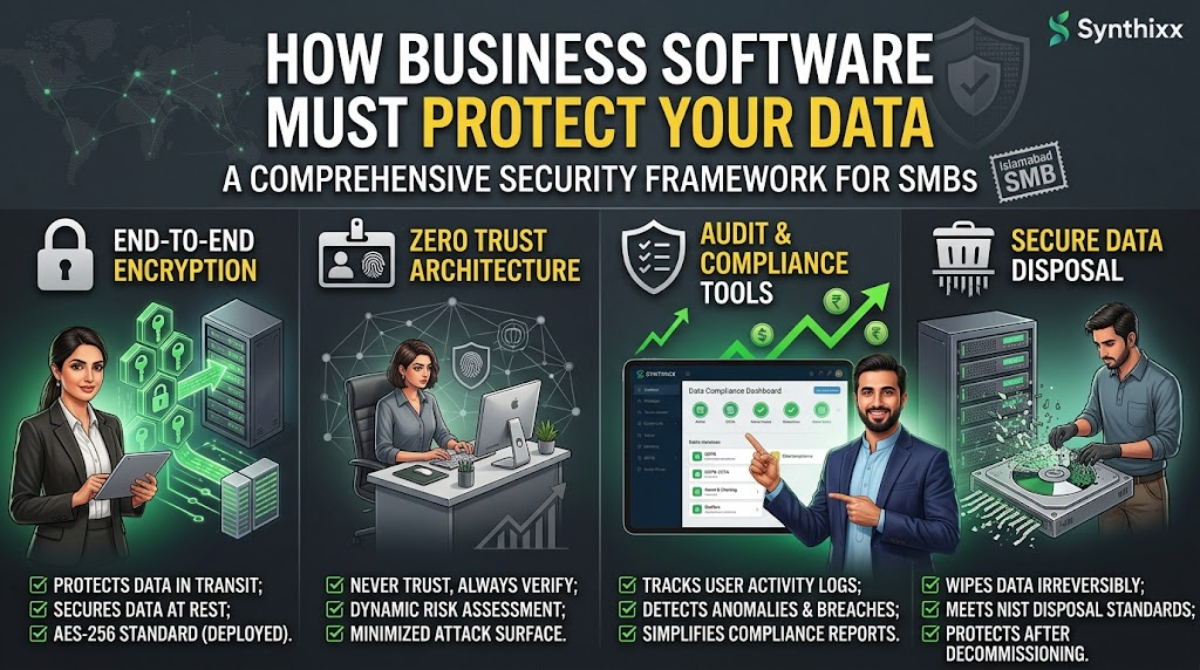
Every customer should operate in a separate environment. Your school's data never mixes with another school's data ΓÇö not by policy, but by architecture. If the vendor stores everything in one shared database with just a tenant flag, a bug in that flag means your records are one mistake away from the wrong hands.
Ask the vendor directly: "Is my data separated from other customers' data?" The good ones answer clearly. The vague ones usually have something to hide.
2. Role-based access
Not everyone in your organization should see everything. The principle is minimal access: each person sees exactly what their job requires.
- ΓÇóTeachers see their classes and their students' records.
- ΓÇóAccountants see fees and payments.
- ΓÇóParents see only their own children.
This is not just about preventing theft. It reduces accidents. A teacher who cannot see payroll cannot accidentally forward a payroll file. A parent who cannot see another family's record cannot create a privacy complaint.
3. A real export path
This is the test most people skip, and it is the most important one. Can you export everything ΓÇö students, fees, attendance, results ΓÇö in a standard format like Excel or CSV, any time, without asking permission? If the answer is "you can download PDFs", treat that as a warning. Your records belong to you. A vendor that makes leaving easy is a vendor worth staying with, and a vendor that traps your data is holding it hostage.
4. Clear answers about AI
When AI is involved, your private business records should not be used to train external AI models, and they should never be exposed to other customers. Before you sign up for any tool, ask the vendor exactly where your data goes and who can see it. The answer should name the region where data is stored, the people who have access, and what happens to the data if you cancel.
5. A privacy policy you can read
Not a legal fog ΓÇö a plain-language statement that says what is collected, why, who it is shared with, and how to delete it. If you cannot understand the policy, that is a problem with the policy, not with you.
The comparison table
| Feature | Why it matters | Red flag | | --- | --- | --- | | Per-business isolation | Your data never mixes with another customer's | "We store everything centrally" without detail | | Role-based access | People see only what their job requires | Everyone logs in as admin | | Full data export | Your records are yours, always | "You can download PDFs" | | AI data policy | Your records never train external models | "We may use data to improve our services" | | Plain-language privacy policy | You understand what happens to your data | Thirty pages of legal text, no summary |
Where I stand as a founder
I am the founder of an independent software company, and I hold my own products to exactly these standards. Synthixx Tools is live and free at tools.synthixx.com, the School Management software is live, and the Synthixx App is coming soon. I say this not as a sales pitch but as a statement of where I stand: these are the behaviors I demand, so these are the behaviors I build.
What you can do today
Software does the heavy lifting, but the habits are yours:
- ΓÇóUse strong, unique passwords. The school's admin password should never be shared across staff or reused for other accounts.
- ΓÇóReview roles regularly. Every term, check who has access to what. Remove access for staff who have left.
- ΓÇóExport on a schedule. Download your data monthly to a spreadsheet and keep a copy somewhere safe. This is cheap insurance against almost anything.
- ΓÇóAsk before you paste. Never put student records, patient files, or payroll into a free public AI chat. You do not know where that text goes or how it is stored.
Frequently asked questions
How do I know a vendor is telling the truth about data separation? Ask specific questions: Where is the data stored? Which country? Who inside the company has access? Is there a published security policy? A confident, specific answer is a good sign; a vague promise is not.
Do I need a data-protection expert to evaluate software? No. The checklist above is enough to catch the serious problems. The red flags are simple: no export, no role-based access, no clear AI policy. You do not need a specialist to see those.
Is it safe to store data in the cloud at all? Yes, if the vendor handles it properly ΓÇö encryption, access controls, isolation, and backups. In many cases a well-run cloud system is safer than a register on a desk and a spreadsheet on one laptop. The question is never cloud versus not; it is whether the specific vendor does it right.
What if the vendor refuses to let me export data? Walk away. A system that cannot give you your own records is not protecting you ΓÇö it is trapping you. No feature list is worth that.
Data protection is not the boring part of buying software; it is the part that decides whether you sleep well at night. Check the isolation, check the roles, check the export button, and get straight answers about AI. A vendor that passes those tests has earned the right to hold your records. A vendor that will not ΓÇö no matter how pretty the interface ΓÇö has not.
Jawad Zaheer Kyani
Founder & Software Engineer at Synthixx
Jawad Zaheer Kyani is the founder of Synthixx Technologies. He is a software builder from Muzaffarabad, in the beautiful valleys of Azad Jammu & Kashmir, and he founded the company on a simple belief: practical software should work for people everywhere, not just in Silicon Valley. He runs Synthixx with one rule — ship tools that still hold up on a busy Tuesday, not slides that only look good in a meeting.He founded Synthixx in the valleys of Azad Jammu & Kashmir with a simple ambition: to prove that world-class, practical software can come from anywhere — and to put his region on the global map. Every article on this blog is written or reviewed by him, grounded in the day-to-day work of actually building the products.Before starting Synthixx, he spent years building software for schools, startups, and businesses across Pakistan and internationally. He writes about AI, school management, free tools, and the real challenges of building technology outside of major tech hubs.
View full profile →