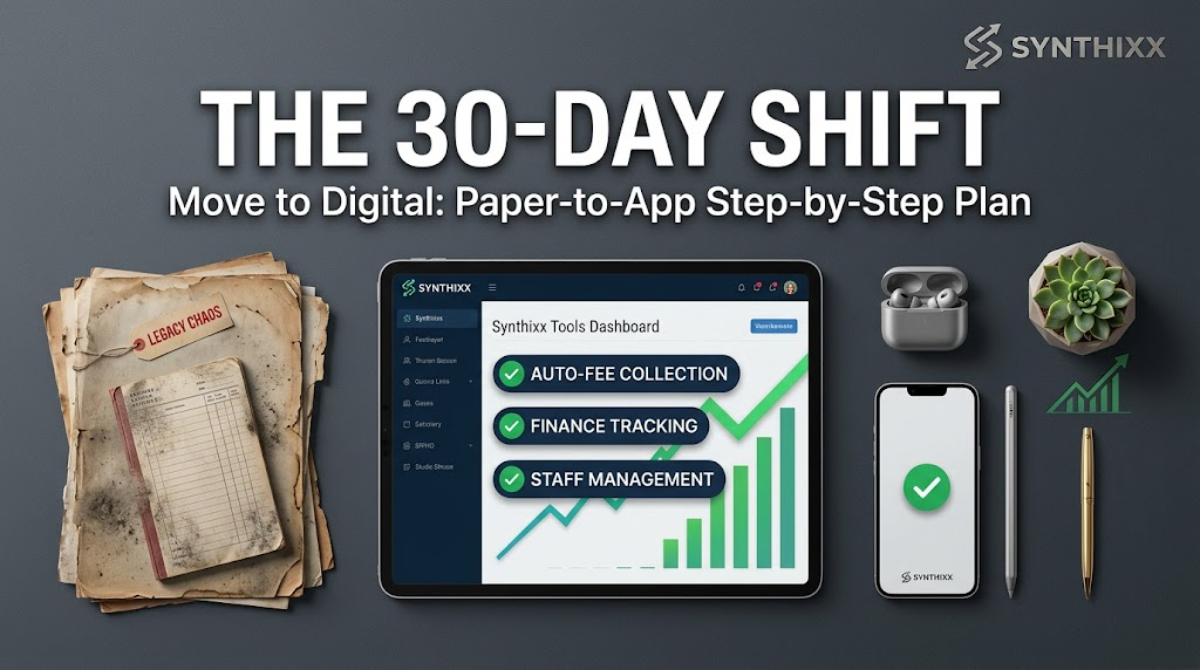
Every term ends the same way in most schools around the world. Teachers submit marks on scraps of paper, the office adds them by hand, someone finds three arithmetic errors, and the result cards get re-typed at midnight before the distribution day. Parents wait, staff are exhausted, and the errors still happen.
The good news is that result card production is the easiest part of school operations to fix. It is repetitive, rule-based work ΓÇö exactly what software is good at. I have helped schools across Asia, Africa, and Europe walk through this change, and the pattern is always the same: the problem is copies of data, and the fix is entering marks once. Here is how to go from a week of panic to a single day of calm.
Why manual result cards fail
Let me be specific about where the time and errors actually go:
- ΓÇóTranscribing marks from teacher sheets into a master sheet. Every transcription is a chance to mistype a number.
- ΓÇóCalculating totals and percentages by hand. On a single class this takes minutes; on a school of 300 students it takes days, and calculators still slip.
- ΓÇóGrading. Applying the passing criteria to every student, checking each borderline case.
- ΓÇóRe-typing the card. The neatly printed card is often re-entered into a document template ΓÇö a third copy of the same numbers.
- ΓÇóChecking. Someone has to verify that the printed card matches the master sheet. When staff are exhausted, the check is the first thing to skip.
The spreadsheet approach (works, with limits)
If you are not ready for software, a well-built spreadsheet already solves most of this:
1. One sheet per class with rows for students and columns for subjects. 2. Formulas compute total, percentage, and pass/fail automatically. 3. Use conditional formatting to highlight failing students at a glance. 4. Print or export to a template for the card layout.
This removes the arithmetic errors and most of the re-typing. What it does not do is stop the duplicate copies: the marks still travel from teacher sheet to spreadsheet to card. And a formula copied into the wrong cell still breaks quietly.
The software approach (faster, one source of truth)
A school management system with an exam module solves the root problem: marks are entered once, and everything ΓÇö result cards, report books, transcripts, parent portal ΓÇö reads from that same record.
The flow becomes:
1. Teachers enter (or the office enters) marks once per subject. 2. The system computes totals, percentages, grades, and pass/fail. 3. Cards are generated for the whole class in one click, ready to print. 4. Parents can see results in the portal, which removes the photocopy-and-distribute cycle.
The time saving is not 10 percent. For a 300-student school it is typically several days per term, and the rework caused by errors nearly disappears.
A practical comparison
| Step in the process | Manual | Spreadsheet | School software | | --- | --- | --- | --- | | Marks transcribed | By hand, three times | Once to the sheet | Once to the record | | Totals and percentages | Calculated by hand | Formula | Automatic | | Grading | Checked case by case | Formula | Automatic by rule | | Card layout | Re-typed into a template | Template export | Generated from record | | Checking | Full re-read | Sample check | Sample check | | Parents see results | Paper, in person | Printed | Portal or secure link |
A practical plan for next term
Step 1 ΓÇö Agree on the marksheet format now
Before exams start, fix the exact format teachers will use: student names, subjects in order, marks per subject, total. If every teacher submits a different format, you will pay for it later. A single printed or digital marksheet for each class saves hours.
Step 2 ΓÇö Decide pass/fail and grading rules up front
Write the rules down before you see the results: passing percentage, grace marks policy, grading scale. This is what prevents ten separate arguments in the office on results day. In countries where the national board sets external grading, your school still needs to define how internal subjects are graded.
Step 3 ΓÇö Enter marks once
Whether you use software or a spreadsheet, one person enters marks and another verifies a sample ΓÇö do not have five people transcribing the same numbers into five places.
Step 4 ΓÇö Generate cards, then spot-check
Print or generate the cards, then verify every card in a 10 percent sample against the master sheet. If the sample is clean, the batch is clean. This replaces "check all 300 by hand" with a 30-card check.
Step 5 ΓÇö Distribute digitally
Give parents the result in the portal or via a secure link, and print cards for those who need the physical copy. This is where the paper cost ΓÇö and the photocopying time ΓÇö finally ends. In markets where broadband and smartphone use are high, most families take the digital copy; in others, print-on-demand for the few who need it.
What to avoid
- ΓÇóEntering marks into the system after the cards are printed. If the card is wrong, fix the record, then regenerate. Never fix the card by hand and leave the record wrong ΓÇö that is how next term inherits this term's mistakes.
- ΓÇóLetting last year's class list decide this year's results. Verify every student appears exactly once before generating anything.
- ΓÇóSkipping the sample check. It is the cheapest insurance you will buy all term.
What teachers should do differently
This is not only an office problem. Teachers can cut their own term-end pain:
- ΓÇóSubmit marks in the agreed format from day one, not a loose scrap on the last day.
- ΓÇóType marks directly into the school's marksheet when the option exists, rather than writing them twice.
- ΓÇóKeep one subject's marks in one place only ΓÇö no personal notebook plus a school copy.
A teacher who keeps two copies of marks is doing the same duplicate work the office is doing, and paying for it with their evenings.
> Enter once, generate everywhere. If a number is typed more than once, it will be typed wrong somewhere.
What about national grading rules?
Grading systems differ by country, but they are all just rules. Whether your school follows a national board's letter grades, percentages with a passing line, or a point-based system, the software needs to let you define the scale once and apply it automatically. If a vendor's product only understands one country's grading structure, keep looking. The rule book changes; the need to compute correctly does not.
Frequently asked questions
How long should result cards take? With marks entered once and a working system, a 300-student school can generate and verify cards in a day or two. A spreadsheet gets you close. A manual-only process takes a week because of the re-typing.
Do we need expensive software for this? No. A spreadsheet removes most errors. Software removes the remaining duplication and gives parents self-service results. Both are far better than hand arithmetic.
What if a student needs rechecking? With a single source of truth, a recheck is a one-line correction followed by regenerating that card. In a manual system it is a chain of edits across three copies.
Can we keep the paper card parents expect? Yes. Generate digitally and print what you need. Most schools keep a printed card for the file and share results online first.
Term results should reflect the year's work, not the office's stamina. Fix the marksheet format, enter once, and generate from the record ΓÇö and next term you will wonder why it was ever hard.
Jawad Zaheer Kyani
Founder & Software Engineer at Synthixx
Jawad Zaheer Kyani is the founder of Synthixx Technologies. He is a software builder from Muzaffarabad, in the beautiful valleys of Azad Jammu & Kashmir, and he founded the company on a simple belief: practical software should work for people everywhere, not just in Silicon Valley. He runs Synthixx with one rule — ship tools that still hold up on a busy Tuesday, not slides that only look good in a meeting.He founded Synthixx in the valleys of Azad Jammu & Kashmir with a simple ambition: to prove that world-class, practical software can come from anywhere — and to put his region on the global map. Every article on this blog is written or reviewed by him, grounded in the day-to-day work of actually building the products.Before starting Synthixx, he spent years building software for schools, startups, and businesses across Pakistan and internationally. He writes about AI, school management, free tools, and the real challenges of building technology outside of major tech hubs.
View full profile →