Every few weeks I end up on a call with a business owner who signed up for a software tool and is now looking at an invoice that looks nothing like the price on the signup page. The tool is usually fine. The problem is that software pricing has quietly split into several different models, and almost nobody explains them in plain language before you commit. This post is that explanation: a plain-English walk through how software is priced today, what each model really costs you over a year, and the questions to ask before you hand over a card.
Why the model matters more than the number
Two tools can both advertise "from ten units of local currency a month" and still cost you wildly different amounts over a year. One charges per user, one per record, one per hour of processing. One resets your allowance every month, another lets it roll over. One raises your price the moment you add a feature, another never changes. The headline number is only useful once you know what it is tied to, what happens when you exceed it, and how hard it is to move plans later. Getting that wrong is how a cheap-looking tool becomes your most expensive line item.
Flat subscription
A flat subscription is the simplest model: you pay one fixed amount per month or year and you get the whole product. No counting users, no metering, no invoices that bounce around. It suits software where everyone uses roughly the same amount, like a project tracker or a small business suite. The advantage is predictability ΓÇö you know what the next twelve months cost before you commit. The disadvantage is that you may be paying for capacity you never touch, and when you grow past the limit, the next step is often a large jump in price rather than a smooth climb.
Per-seat and per-user pricing
Per-seat pricing bills you for each person who can log in. It is the most common model in business software because it scales with headcount: hire five people, pay five seats. The fine print is where it gets interesting. Some vendors bill per active user and only count people who actually sign in during the month. Others bill per named user, so an employee who left and was never removed keeps costing you money. A few vendors charge more for collaborators or external viewers than for regular staff. Before you sign, ask whether a seat means anyone with an account or anyone who signs in, and what happens to the bill when someone leaves your team.
Tiered pricing
Tiered pricing packages a product into fixed levels ΓÇö usually Starter, Professional, and Enterprise, or similar names. Each level adds more users, more storage, more features, or better support. Tiers are easy to understand and easy to budget for, which is why so many vendors use them. The risk is that you grow out of one tier and the next is a big step up in price, or you pay for a level packed with features you will never open. A good habit is to estimate which tier you need in eighteen months, not just today, and to ask in writing what moving between tiers costs.
Token and credit pricing
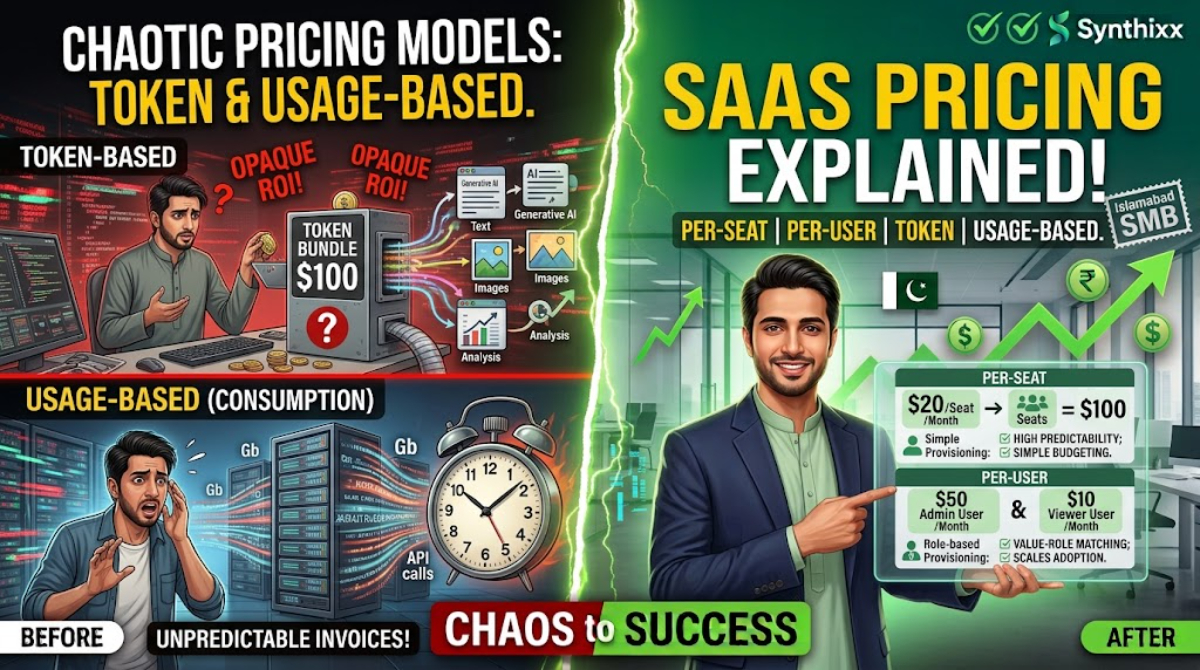
Token and credit pricing is common in AI tools, content services, and anything where the cost of serving you varies with volume. You buy a bundle of tokens or credits up front, and each action consumes some of them. A longer document, a larger image, or a bigger search consumes more than a small one. This model is a good fit when your usage is light or unpredictable, because you never pay for idle capacity. It gets dangerous when you cannot estimate consumption. I have watched teams burn a month of credits in an afternoon because a script ran through data in a loop. If a vendor sells credits, find out what a typical task costs, whether unused credits roll over, and whether you can set a hard cap on spending.
Usage-based pricing
Usage-based pricing bills you for what you actually consume ΓÇö messages sent, gigabytes stored, API calls made, minutes of processing. It is the most accurate model, and for many businesses it feels the fairest, because the bill tracks real value. It is also the hardest to forecast. A product launch, a big new client, or a burst of files can move your monthly cost significantly. One client saw a usage-based bill jump after a product launch, so we rebuilt their estimate together before the renewal. Vendors using this model should offer a usage dashboard, alerts, and a way to cap spending. If they offer none of those, treat that as a warning sign.
Freemium
Freemium gives you a working version of the product for free, usually with limits on users, storage, or features. It is an honest way to test whether software fits your work before you pay. The trade-off is that the free tier is designed to show you just enough to make you want more, and migrating real work out of a free tool later is often the most painful part of any software decision. Treat freemium as a trial, not a home. Before you build your workflow inside a free tier, ask yourself what it costs to leave ΓÇö in time if not in money.
Comparing the models at a glance
| Model | How you are billed | Best fit | Watch out for | |---|---|---|---| | Flat subscription | One fixed fee per period | Steady, similar usage across the team | Paying for capacity you never use | | Per-seat / per-user | Per person per period | Growing teams | Dormant accounts still being billed | | Tiered | A fixed level you choose | Businesses that want predictable budgets | Large jumps between levels | | Token / credit | Prepaid bundle consumed per action | Light or variable usage | Running out in the middle of the month | | Usage-based | Metered by actual consumption | Businesses with real usage data | Hard-to-forecast monthly bills | | Freemium | Free tier plus paid upgrades | Trying before buying | High cost of migrating away later |
Which model fits which business
If you are a freelancer or solo professional, a flat subscription or a strong free tier is usually enough, because your usage is steady and you have nobody else to count. If you run a small team, per-seat pricing is often the fairest, but cap the number of seats so you never get a surprise. If you are a fast-growing startup where usage genuinely scales with success, usage-based pricing can feel like a partnership ΓÇö but only if the vendor gives you visibility into what drives the cost. If you are buying for a department or an enterprise, tiered plans with a fixed contract give finance the budget certainty it wants; avoid tokens unless a senior person owns the budget.
How to avoid surprise bills
- ΓÇóRead the pricing page as if it were a contract, because it is one.
- ΓÇóAsk what counts as one unit of usage and get a written example.
- ΓÇóAsk what happens at the limit: does the tool keep running and bill you more, or does it stop?
- ΓÇóCheck whether the price is per user or per active user.
- ΓÇóSet a reminder for every renewal so you renegotiate instead of auto-renewing.
- ΓÇóTrack your own usage from month one so you can spot changes before the invoice does.
Questions to ask before signing up
- ΓÇóWhat exactly triggers a charge, and can you show a sample invoice from a similar customer?
- ΓÇóWhat happens when I hit my limit in the middle of a month?
- ΓÇóCan I cap my spending, and will I get an alert when I am close to the cap?
- ΓÇóCan I move between plans myself, and what does it cost?
- ΓÇóWhat does the bill look like if I stop using the product but forget to cancel?
Frequently asked questions
Is per-seat pricing cheaper for a small team? Usually yes, because you pay only for people who actually use the tool. But read the definition of a seat carefully ΓÇö some vendors count every named user even if they never sign in.
What is the difference between tokens and usage-based pricing? Tokens are prepaid: you buy a bundle and consume it over time. Usage-based pricing is billed after the fact based on what you used. Tokens give you a fixed ceiling; usage-based gives flexibility but less predictability.
Should I start on the free tier? Yes, if you are genuinely evaluating the tool with real work. No, if you plan to rely on it immediately ΓÇö build your workflow on a plan you intend to keep, and use the free tier to test.
Can I switch pricing models after I sign up? Sometimes. Ask before you sign and get the answer in writing. Changing models mid-contract often means a prorated invoice and a new commitment period.
Why did my bill change when nobody did anything? This is almost always an active-user issue. A person you thought was removed, or a seat defined differently than you assumed, is the classic culprit. One client's bill crept up because former employees' accounts were never removed. Ask the vendor to walk you through the invoice line by line before you pay.
Jawad Zaheer Kyani
Founder & Software Engineer at Synthixx
Jawad Zaheer Kyani is the founder of Synthixx Technologies. He is a software builder from Muzaffarabad, in the beautiful valleys of Azad Jammu & Kashmir, and he founded the company on a simple belief: practical software should work for people everywhere, not just in Silicon Valley. He runs Synthixx with one rule — ship tools that still hold up on a busy Tuesday, not slides that only look good in a meeting.He founded Synthixx in the valleys of Azad Jammu & Kashmir with a simple ambition: to prove that world-class, practical software can come from anywhere — and to put his region on the global map. Every article on this blog is written or reviewed by him, grounded in the day-to-day work of actually building the products.Before starting Synthixx, he spent years building software for schools, startups, and businesses across Pakistan and internationally. He writes about AI, school management, free tools, and the real challenges of building technology outside of major tech hubs.
View full profile →